

Purpose
Manage printer connection, discovery, IP configuration, routing, health and updates from WebStore while the Printer Client performs approved local actions.
Real WebStore screen
What you see
Controlled demonstration data · no customer records
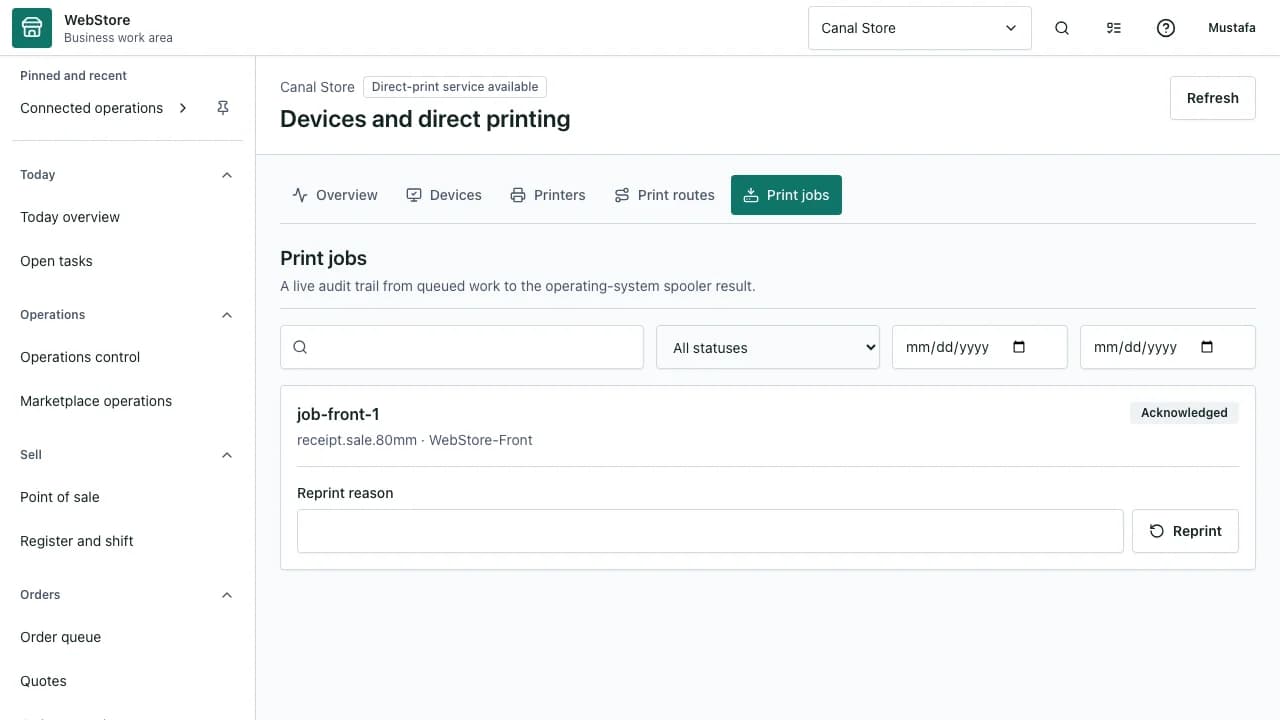
- 1Printer Client views
- 2Connection and readiness
- 3Printer routes and job health
- Download one recommended Printer Client installer.
- Enroll a machine into one approved store context.
- Configure multiple local or IP printers and route document types.
Workflow
- 1
Use the recommended signed Printer Client download; open compatibility details only when installing on another computer.
- 2
Start enrollment and approve the short-lived store pairing code.
- 3
Discover installed printers or add an approved IP printer.
- 4
Create routes for receipt, kitchen, label and report jobs.
- 5
Run a test print and monitor acknowledgement, failures and updates.
Enroll a trusted machine
Enrollment binds a device identity to the intended tenant without reusing a browser session token.
- Use a short-lived code and PKCE-protected exchange.
- Approve the exact store and device name.
- Revoke enrollment when a machine leaves service.
Configure printers and IP ports
The client reports installed drivers and executes approved local printer changes.
- Match the exact driver and operating-system architecture.
- Use a standard TCP/IP port for network printers.
- Assign stable names before creating document routes.
Operate and update safely
Health and update status remain visible in WebStore while execution stays local.
- Review uptime, version and printer availability.
- Retry failed jobs without creating duplicate prints.
- Install approved updates through the release channel.
Permissions and boundaries
- Device enrollment and remote machine actions require dedicated permissions.
- The client accepts only signed, tenant-scoped commands with replay protection.
- Passwords, raw machine secrets and unrestricted shell access are never exposed in the portal.
When it goes wrong
If enrollment reports an invalid CSRF token, refresh the enrollment session and pairing code together.
If a printer is absent, verify its driver, port, network reachability and client permission.
If a job is acknowledged but not printed, inspect the selected route and local spooler result.