

Purpose
Help owners and teams reach the correct module quickly, understand the active store and complete work without switching between overlapping portals.
Real WebStore screen
What you see
Controlled demonstration data · no customer records
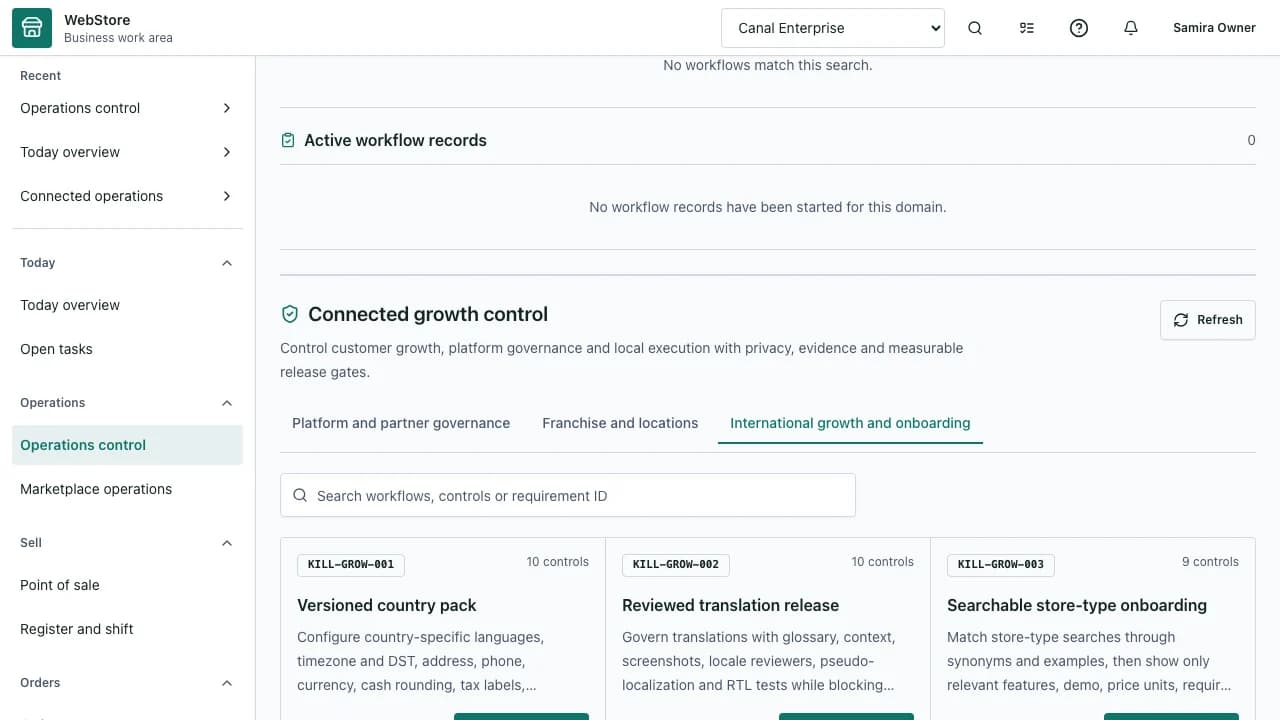
- 1Role-aware workspace navigation
- 2Active store and current module
- 3Operational status and next actions
- Confirm the active store and current role.
- Reach setup and daily operations from one navigation model.
- Verify that a completed action appears in the connected module.
Workflow
- 1
Sign in through the Business Portal and select the intended store.
- 2
Use workspace search or grouped navigation to open a module.
- 3
Review status, alerts and prerequisites before changing data.
- 4
Complete the task and confirm the visible result.
- 5
Follow the linked queue, audit record or customer surface when the task crosses modules.
Orient yourself before acting
The shell keeps identity, store context and navigation stable while module content changes.
- Check the business name in the context selector.
- Use Today for priorities and open tasks.
- Use grouped navigation for repeatable operational work.
Use workspace search
Search reaches settings, records, guides and allowed actions within the active context.
- Search by module name for setup.
- Search by record or customer reference for daily work.
- Open results only after confirming their workspace and store label.
Check connected outcomes
Many actions publish data to another module or customer surface.
- Catalog changes affect storefront and order entry.
- Appointments affect availability, messages and reports.
- Shift, finance and audit records preserve who completed the work.
Permissions and boundaries
- Navigation and actions are filtered by role, store membership and enabled capabilities.
- Owners can delegate narrower manager and staff roles without sharing credentials.
- Changing the selected store changes the complete data scope.
When it goes wrong
If a module is absent, check the store type, feature pack and role permissions.
If a direct link opens the wrong context, select the intended store and reopen it.
If a save conflicts with another user, reload the record before applying the change again.