

Purpose
Keep the customer catalog accurate while giving store teams reliable control over inventory and fulfilment.
Real WebStore screen
What you see
Controlled demonstration data · no customer records
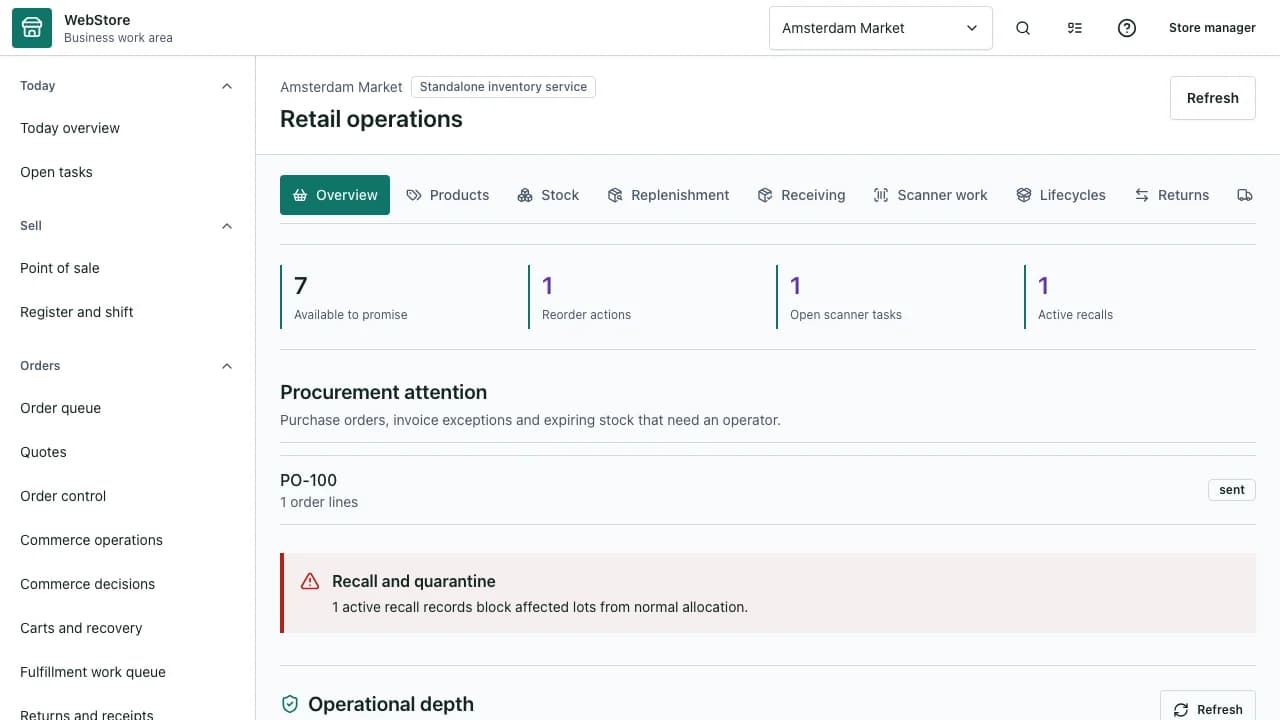
- 1Retail views and task groups
- 2Product and stock overview
- 3Publication and fulfilment state
- Maintain one product source with store-specific listings.
- Prevent unavailable stock from being promised to customers.
- Process orders, exceptions and returns with traceable status changes.
Workflow
- 1
Create or update the product master and variants.
- 2
Set price, stock, images and channel availability for the store.
- 3
Review and publish the intended storefront release.
- 4
Process new orders through fulfilment and customer communication.
- 5
Record returns, adjustments and resulting stock movements.
Build reusable product data
Separate shared product facts from the listing sold by one store.
- Use variants for meaningful choices such as size or format.
- Add multiple inspection-ready images.
- Keep tax, unit and compatibility data structured.
Control real availability
Stock balances, reservations and channel rules decide whether an item can be promised.
- Reconcile on-hand and reserved quantities.
- Use explicit sold-out states instead of deleting history.
- Review publication impact before releasing a change.
Complete the fulfilment loop
Orders move through owned statuses with customer-visible updates and internal evidence.
- Assign the correct pickup, delivery or shipping workflow.
- Use exception reasons instead of free-form status changes.
- Return accepted items into the right stock disposition.
Permissions and boundaries
- Catalog, price, stock and order permissions can be assigned separately.
- Published releases are immutable evidence; corrections create a new version.
- Stock reservations may not exceed available on-hand stock.
When it goes wrong
If a product is absent publicly, check listing status, channel and publication release.
If stock differs, review reservations and stock movements before editing the balance.
If an order cannot progress, resolve its blocking payment, stock or fulfilment exception.