

Purpose
Turn storefront and workspace events into decisions about discovery, products, staffing, communication and customer experience.
Real WebStore screen
What you see
Controlled demonstration data · no customer records
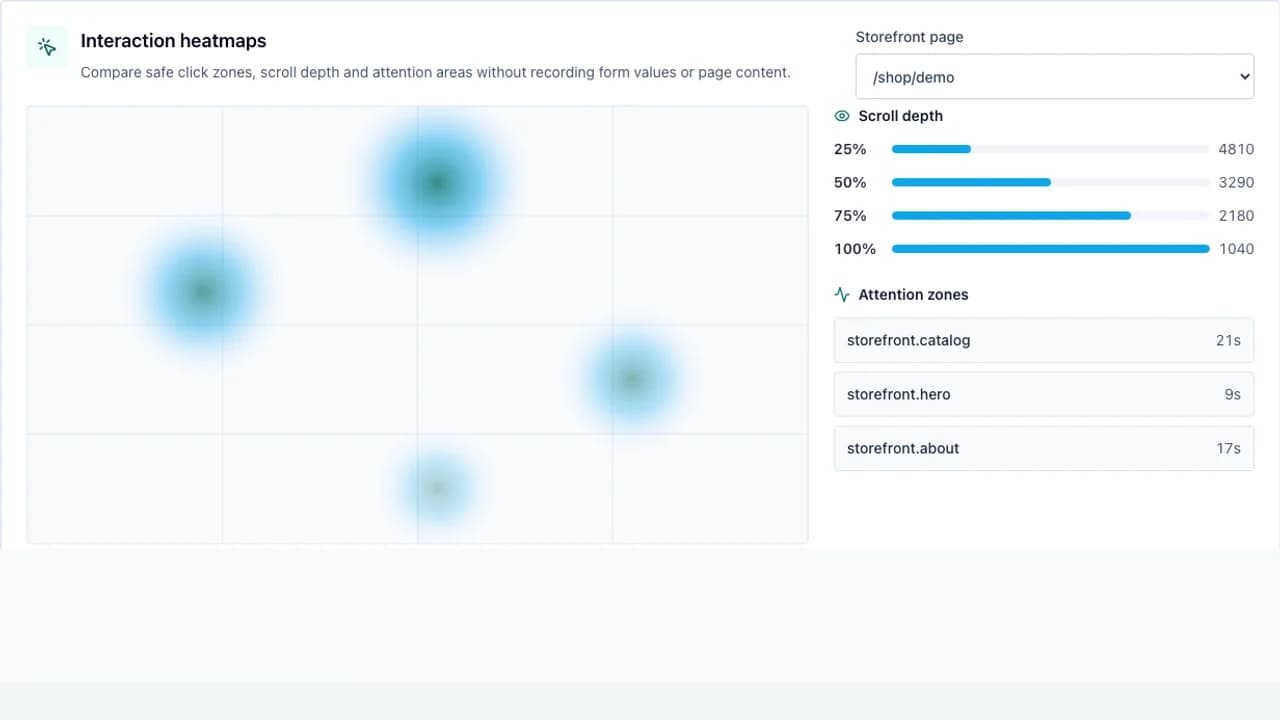
- 1Date range and filters
- 2Acquisition and conversion
- 3Behavior and geographic insights
- See where visitors came from and what they did.
- Connect searches, products and modules to conversion outcomes.
- Schedule privacy-safe summaries for the responsible owner.
Workflow
- 1
Choose the store, date range and comparison period.
- 2
Review acquisition, device, language and location breakdowns.
- 3
Inspect search, product, funnel and operational patterns.
- 4
Open the connected module to investigate a change.
- 5
Save or schedule the approved summary cadence.
Understand acquisition
Referrer, campaign, QR and channel data explain how a visit began.
- Use UTM values for owned campaigns.
- Compare search, social, WhatsApp, QR and referring websites.
- Use country and city trends only at an aggregated level.
Read behavior in context
Heatmaps and funnels support a question; they do not replace the underlying event counts.
- Filter by device and language before comparing layouts.
- Use click and scroll zones to locate friction.
- Connect popular features to orders, bookings or messages.
Distribute controlled reports
Scheduled reports summarize approved metrics without sharing the full workspace.
- Verify the WhatsApp recipient before enabling a schedule.
- Choose a cadence that matches the decision being made.
- Keep date filters visible in every exported or sent summary.
Permissions and boundaries
- Analytics is tenant-scoped and filtered by the active store.
- Visitor identifiers are hashed and reports use aggregated groups.
- Replay or sensitive data requires separate consent and access controls.
When it goes wrong
If a metric is empty, verify the date range, event collection and store filter.
If a heatmap has no points, check the selected page and minimum privacy threshold.
If a scheduled report fails, test the configured WhatsApp connection and recipient.