

Purpose
Give customers a clear purchase path while preserving accurate pricing, stock, delivery choices and account history.
Real WebStore screen
What you see
Controlled demonstration data · no customer records
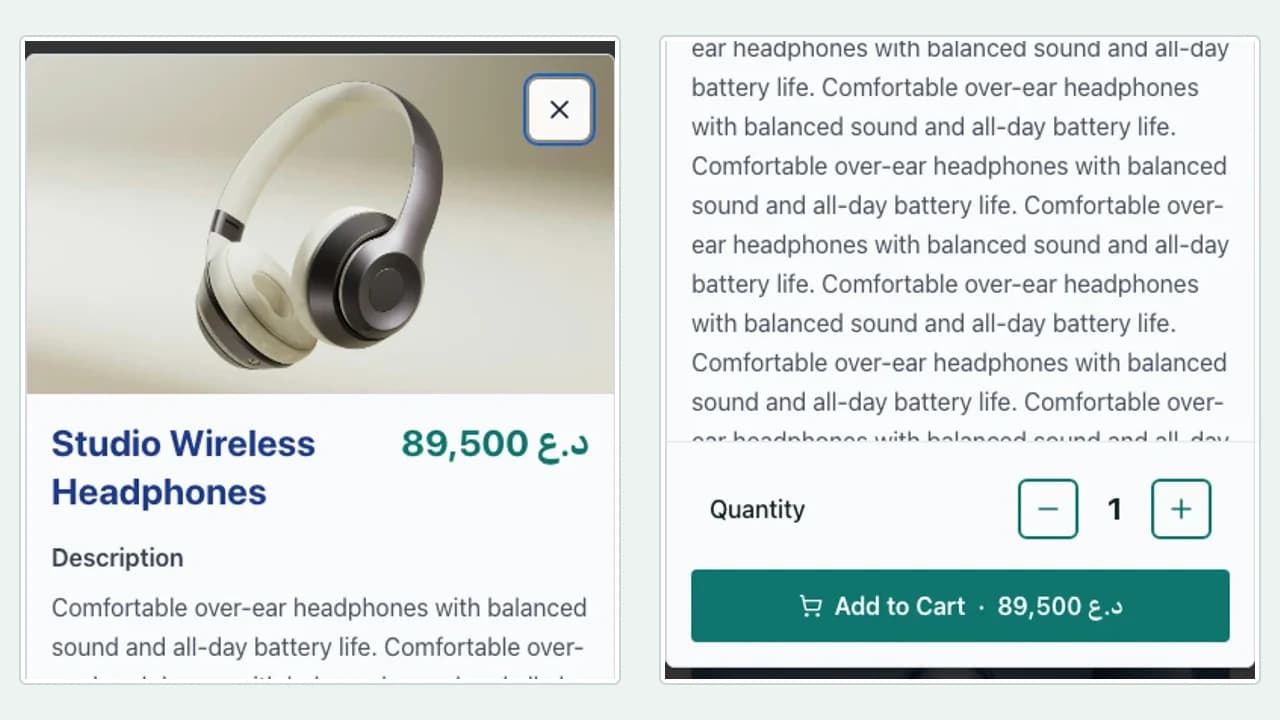
- 1Product and option details
- 2Quantity control
- 3Add to cart and total
- Choose the correct quantity and product options.
- Understand the total and fulfilment method before confirmation.
- Track the resulting order from the consumer account.
Workflow
- 1
Open a product and review options or compatibility.
- 2
Set quantity and add the validated item to the cart.
- 3
Choose delivery, pickup or another available fulfilment method.
- 4
Confirm contact details and the order summary.
- 5
Track status, messages and history from the consumer portal.
Select a valid item
The product panel uses current price, options and availability rather than trusting browser values.
- Choose every required option before adding.
- Use the image gallery to verify the exact product.
- Respect the displayed quantity limit and stock state.
Complete fulfilment details
Checkout requests only the information needed for the selected fulfilment method.
- Delivery may require a precise address or service area.
- Pickup can require contact details and a selected time.
- Review totals and notes before confirmation.
Continue after confirmation
The order becomes a shared status record for the customer and store team.
- Use messages for a question tied to the order.
- Check order history before placing a duplicate.
- Use the return or service flow when it is available for that item.
Permissions and boundaries
- A customer sees only orders attached to the signed-in account or verified session.
- The server recalculates price, promotion and stock before accepting a cart change.
- Business-only notes and operational actions remain hidden from consumers.
When it goes wrong
If an item cannot be added, refresh its latest price, options and stock state.
If fulfilment is unavailable, confirm address, opening hours and selected method.
If an order is missing from history, sign in with the account used at checkout.